Pricing page copy is ready. @Jonas can you check the numbers before 11?
Your team chat,
on your cloud.
Free, open-source team chat with channels, threads, files and search. It runs on your own Cloudflare account, so there’s no price per person and your messages stay yours.
Already deployed? How to sign in
- Free and open source (MIT)
- Runs on Cloudflare’s free plan
- Works on phone and desktop
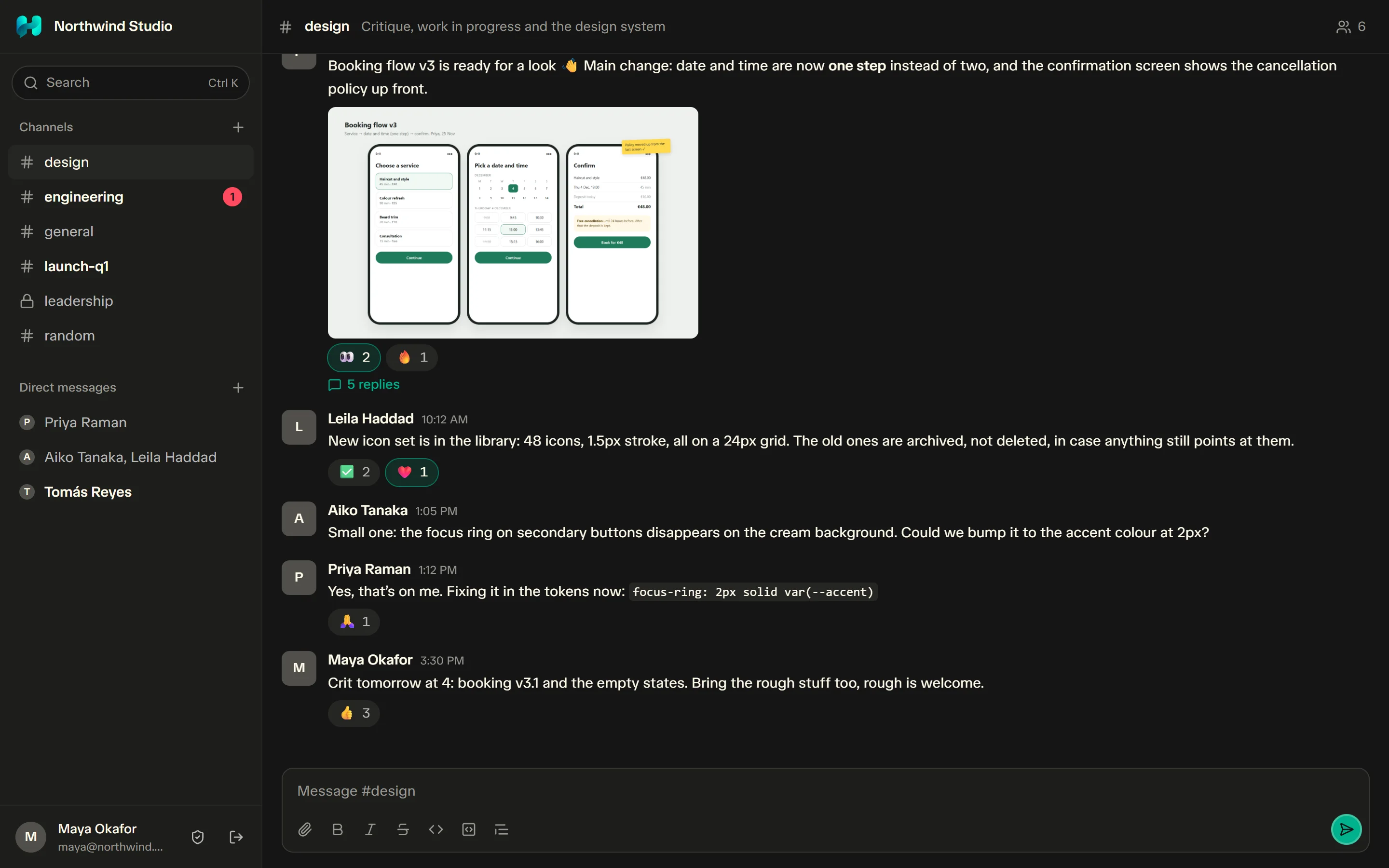
What Huddle is
Huddle is team chat you run yourself: channels, threads, direct messages, files and search, on your own Cloudflare account and its free plan. The code is open under the MIT licence, and your data stays in your account.
For small teams. Studios, agencies, clubs, schools, charities and companies of a few to a few hundred people who want proper team chat without a monthly bill for every person or someone else's terms on their history.
Everything you expect. Public and private channels, direct messages, threads, reactions, @mentions, files, full search, unread counts, push notifications and email summaries, with owners, admins, members and guests.
On your own account. Huddle, your messages and your files all live in your own Cloudflare account. No company sits in the middle reading or selling your data. There isn't a Huddle company at all.
No passwords. People sign in with a six-digit code from an authenticator app, an emailed code if you turn email on, or Google or GitHub if you connect them. There are no passwords to leak, and an invitation decides who gets in.
A day in Huddle
Follow one team from the first coffee to switching off. Every picture is the real app.
8:40 Catch up on the way in
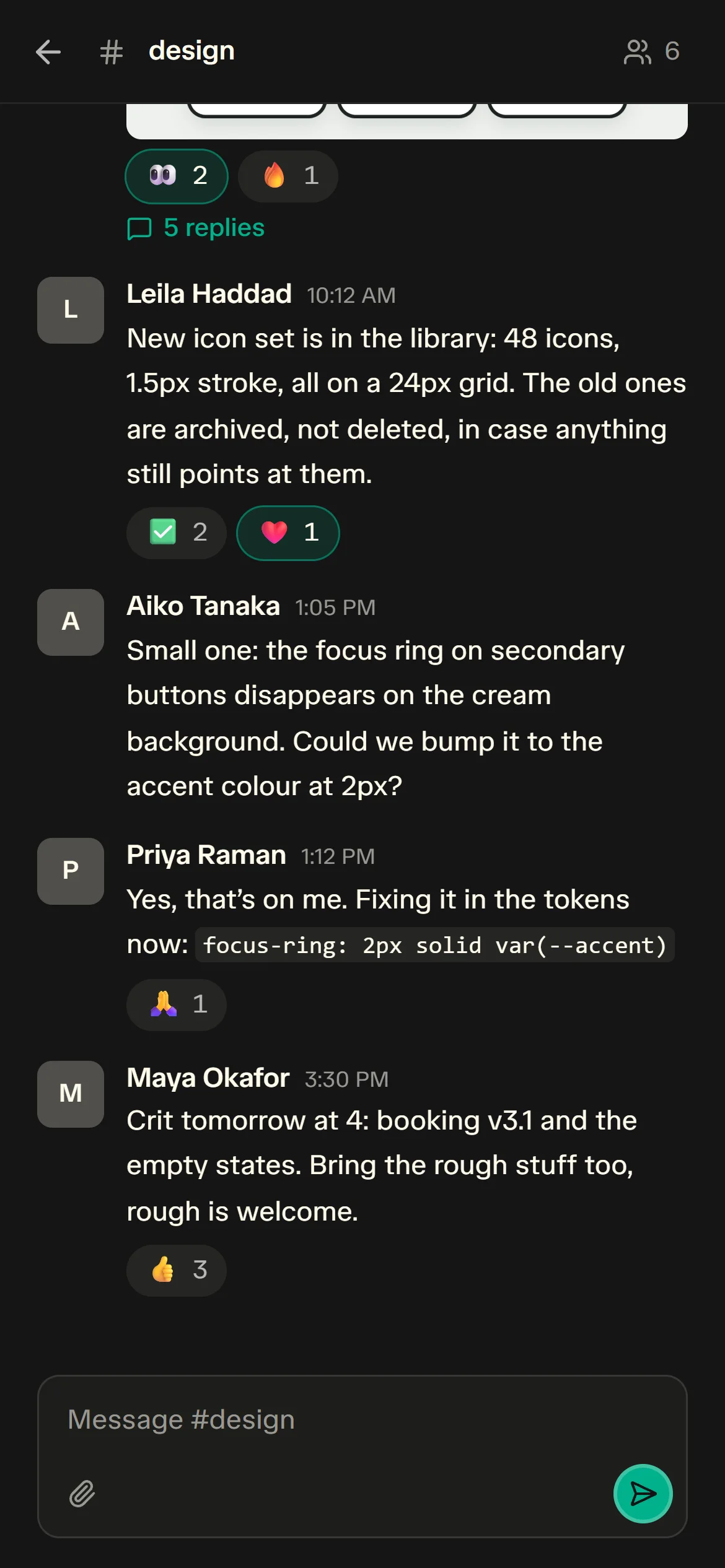
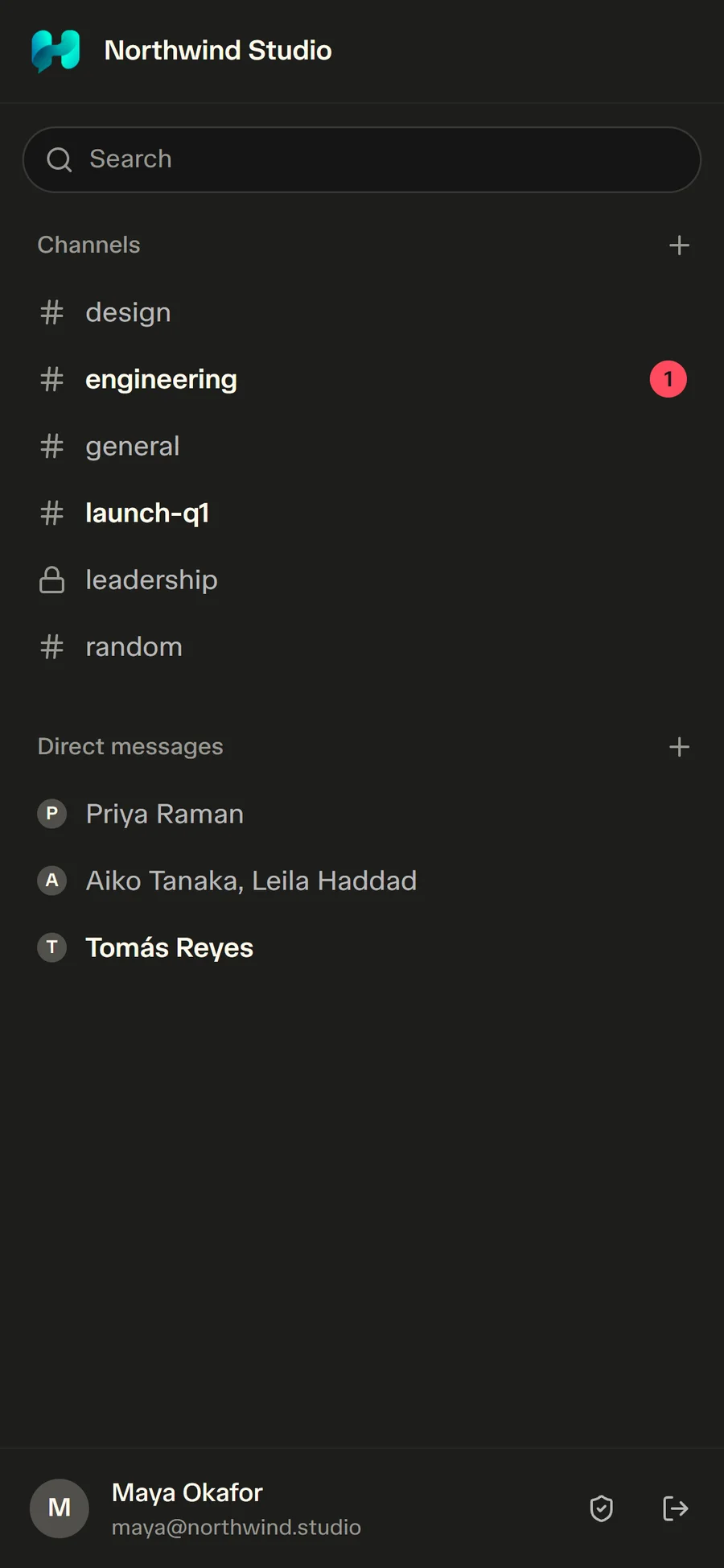
Open Huddle on your phone. Chats with something new are in bold and show a count, so you know where to look first.
9:15 Share work with the team
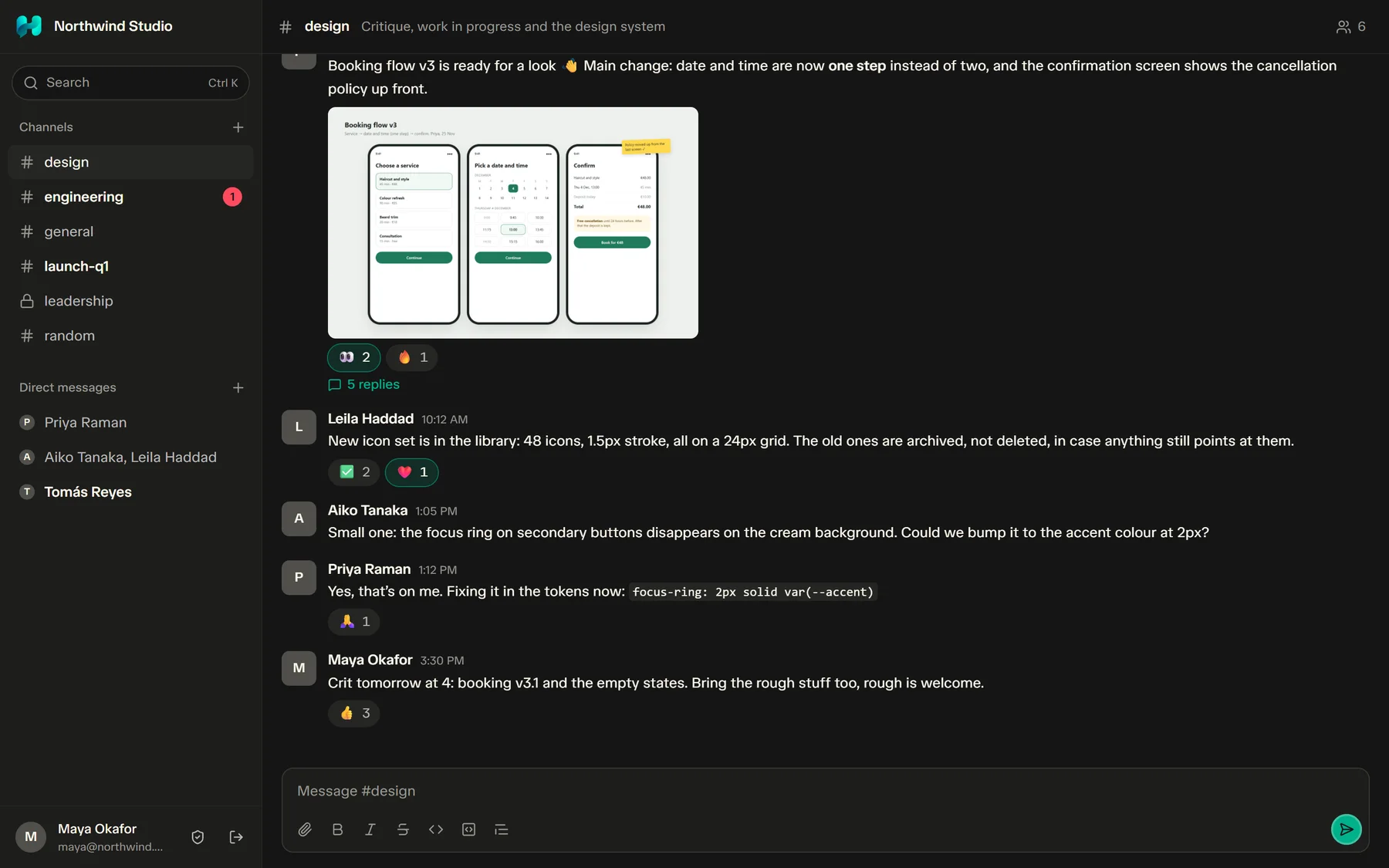
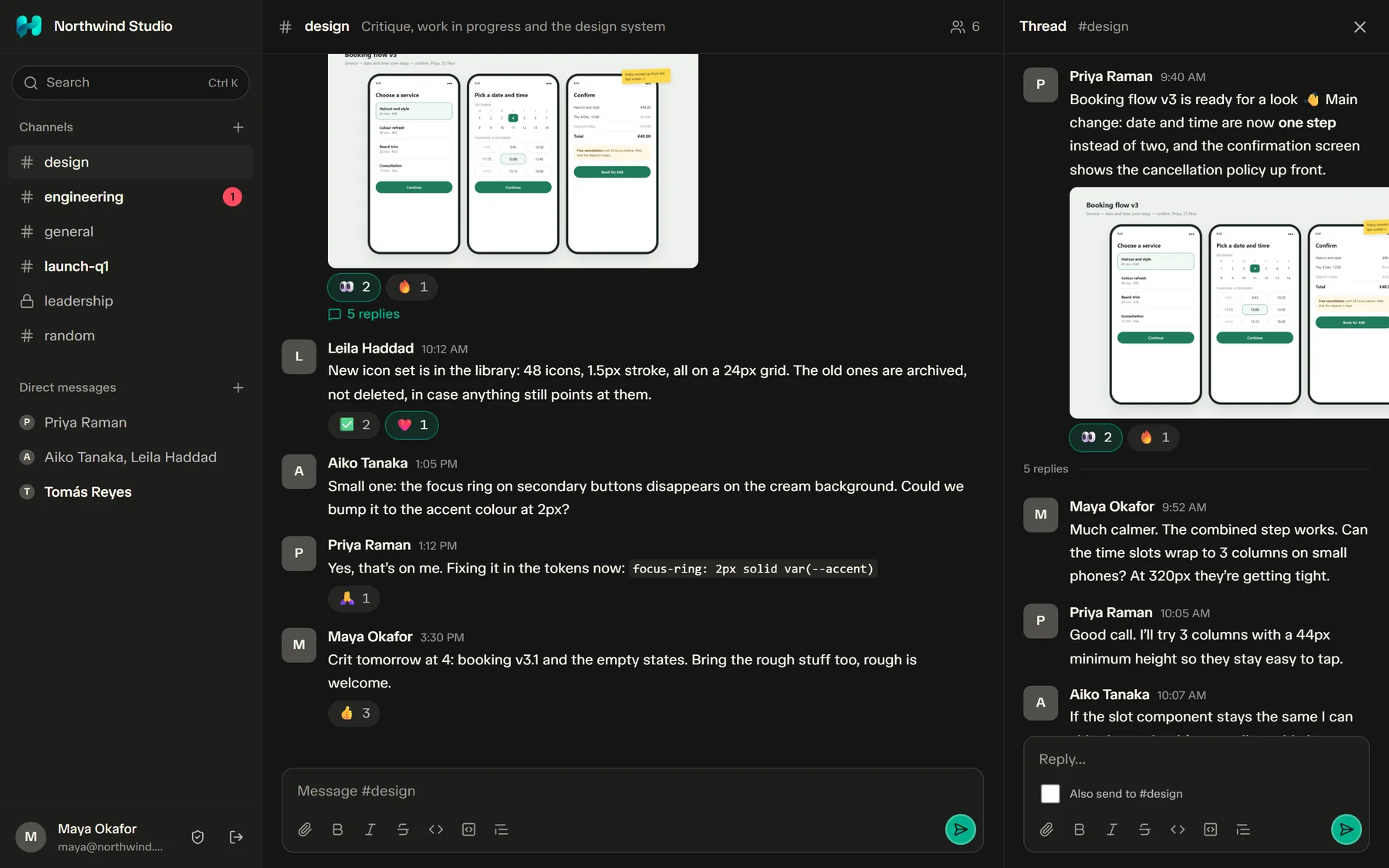
Leila posts the new booking flow in #design. People react with an emoji instead of writing “looks good” five times.
10:30 Talk details in a thread
Feedback goes into a thread under the post, so the channel stays easy to read for everyone else.
12:00 A quiet word with a few people
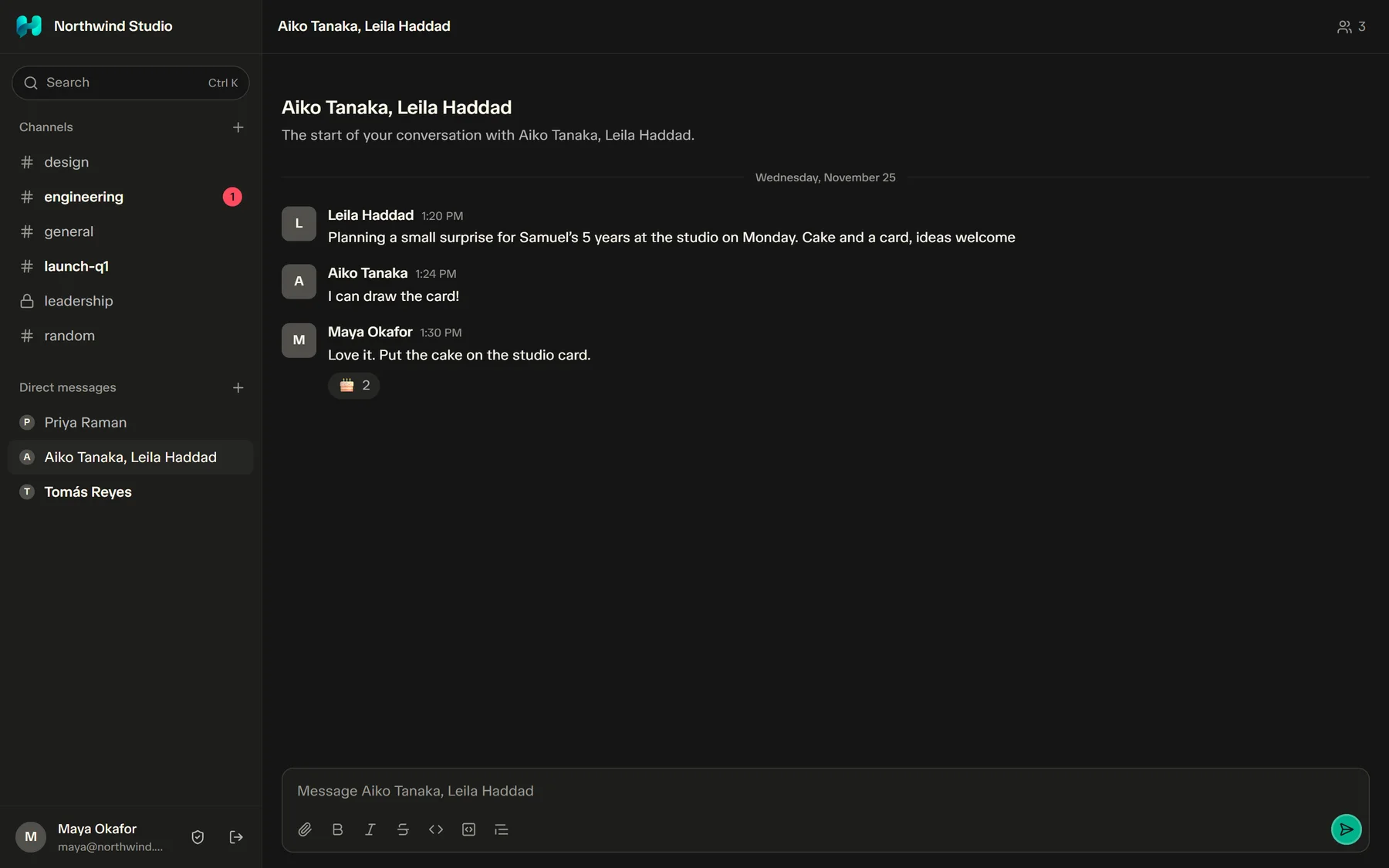
Three colleagues plan a surprise in a group message. Only the people in it can see it.
14:00 Keep sensitive things private
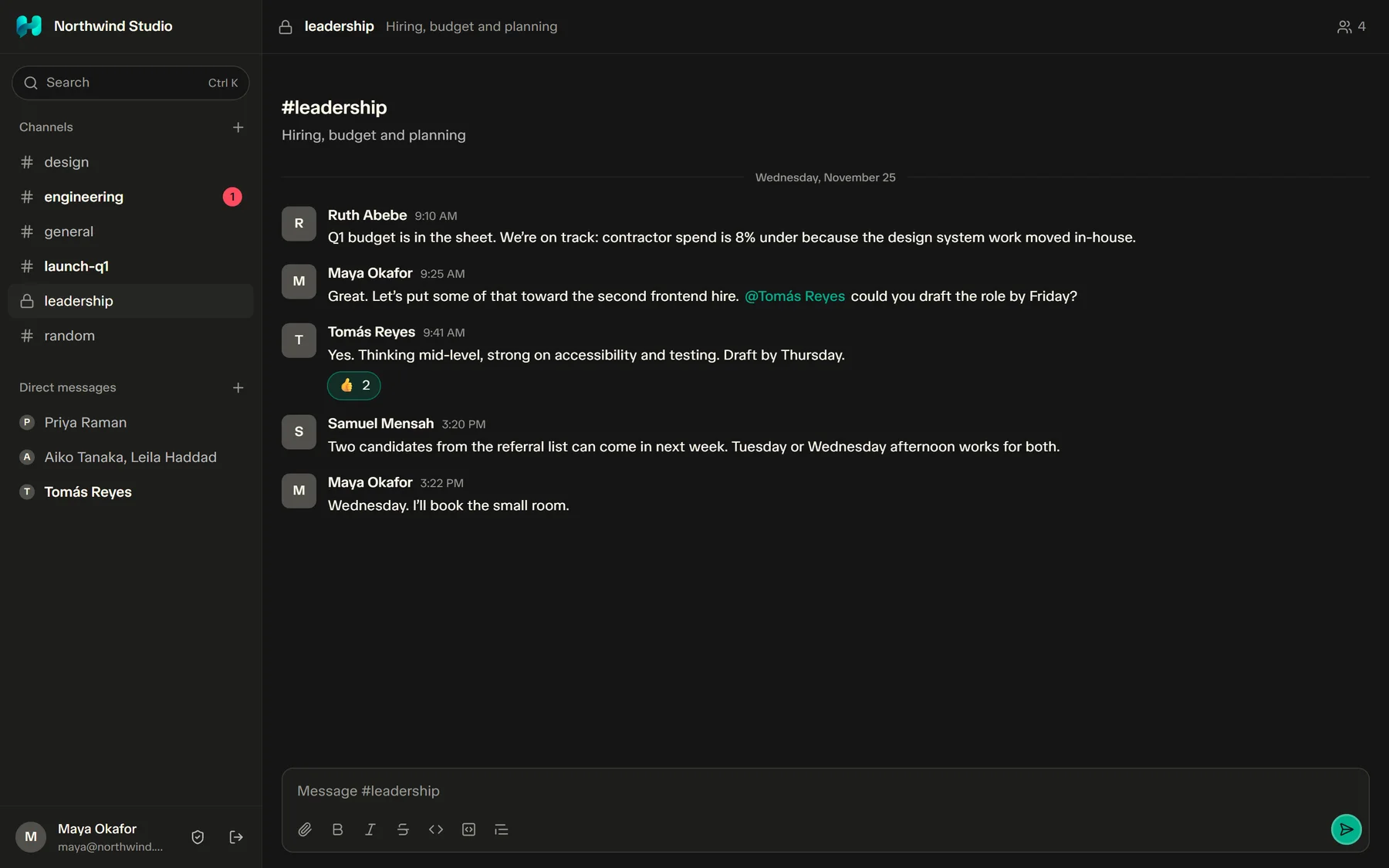
Hiring and budget talk lives in a private channel. People who aren’t in it can’t see it or find it in search.
15:30 Let other tools report in
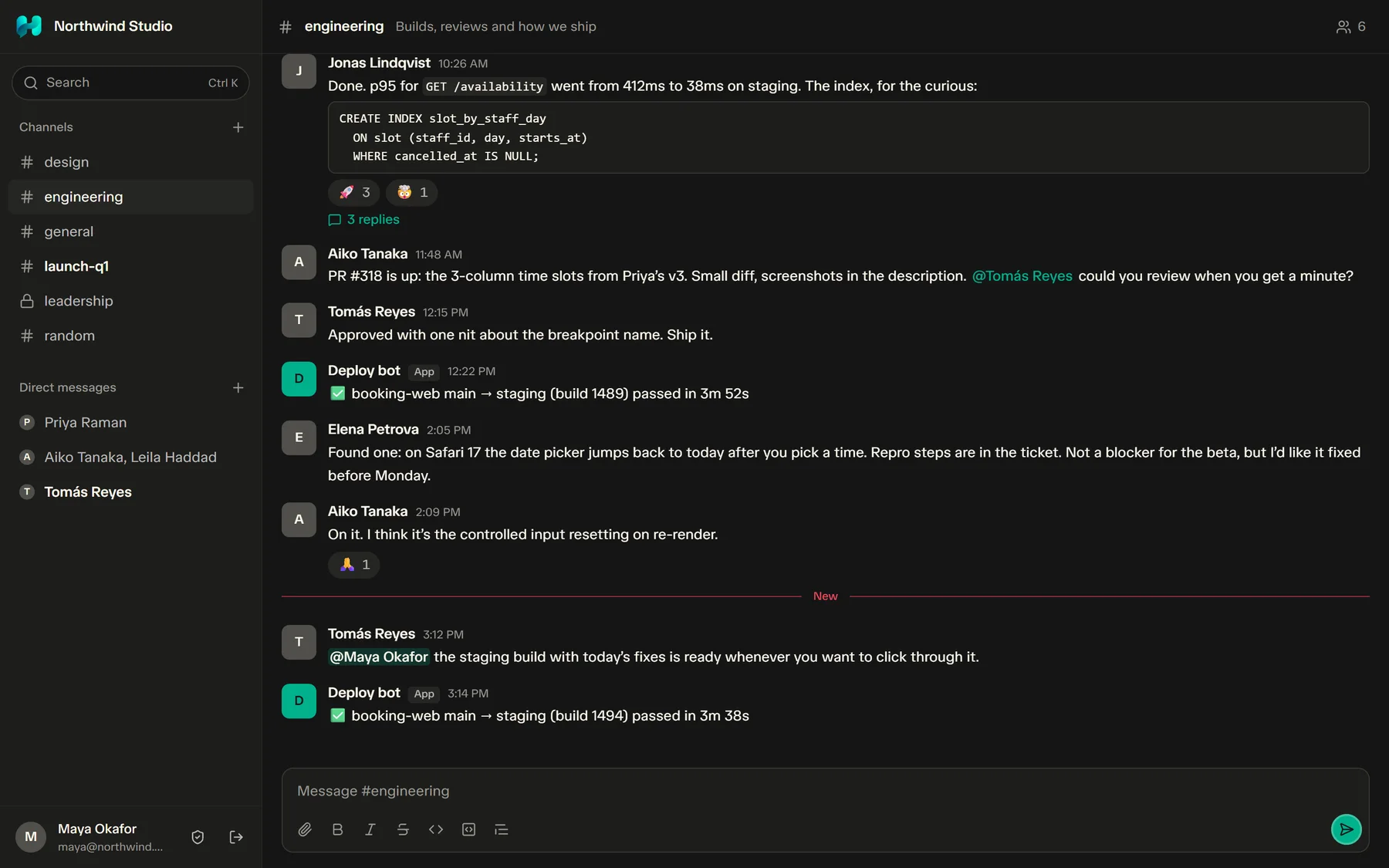
Build results and website checks post themselves into #engineering, so nobody has to copy and paste them.
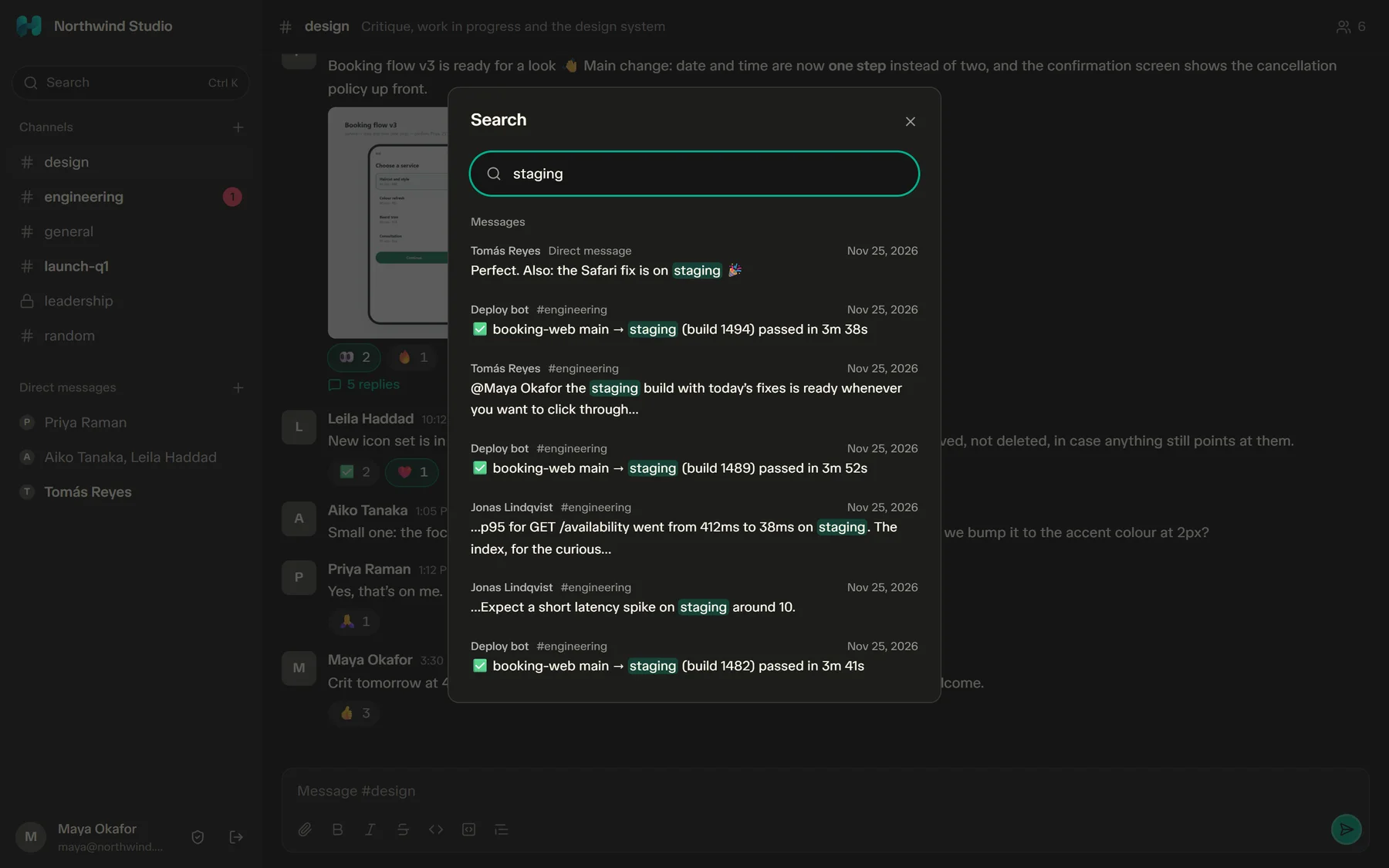
16:45 Find last week’s decision
Press Ctrl+K, type a word and jump straight to the message. Every channel you can see is searched.
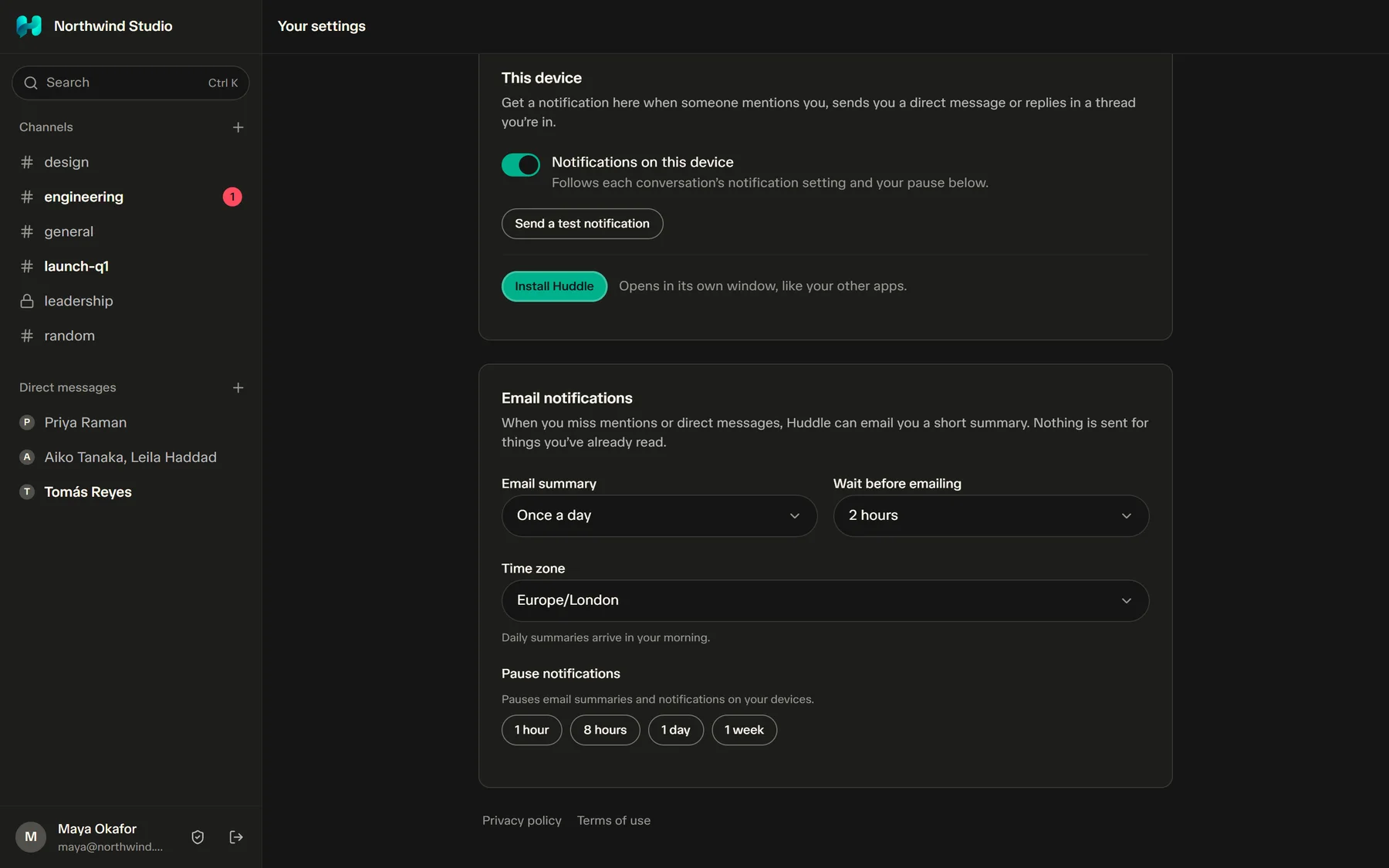
18:00 Switch off for the evening
Pause notifications for the night. If you miss a mention, Huddle can send one short email summary instead of a dozen pings.
Go on, say hello.
This is a Huddle channel, rebuilt right here on the page. Type a message and press Enter, or tap a reaction. Someone on the demo team answers, just as a message arrives in the app.
- Messages appear for everyone instantly
- You see when someone is typing
- Reactions say “seen” without another message
# launch-q19 members
On it. The new build went out at 9:30 and the database updated itself, nothing to run.
What will you use it for?
Huddle works for any group that talks every day. Pick one to see how it would look.
Share work, collect feedback in threads and invite clients as guests who only see their own channel.
# client-harbour
Final logo files are up. @Elena one round of comments here and we’ll lock it.
PDFHarbour-logo-final.pdf
Love it. Tiny one: can the wordmark be a touch bigger on the cards?
Organise fixtures, see who’s coming with one tap on a reaction, and keep committee talk private.
# match-day
Pitch is booked for Saturday 9:00. React ✅ if you can play, ❌ if you can’t.
Bring both kits, rain is forecast. Lifts leave the clubhouse at 8:15.
One place for notices, homework questions and files. Parents can join as guests without sharing phone numbers.
# homework-help
Lab reports are due on Friday. The template is attached, please use the same headings.
PDFLab-report-template.pdf
Should the graph be drawn by hand or can we print it?
3 repliesShifts, orders and supplier chats in one place, instead of mixing work into everyone’s personal WhatsApp.
# orders
Big order for Saturday: 40 croissants and 12 sourdough loaves. Who can start at 5?
Me. I’ll open up and get the first batch in.
Coordinate volunteers and keep a record of what was decided, without spending anything from your budget.
# volunteers
We need six people for Thursday’s packing day. Reply in the thread with the hours you can do.
6 repliesThe van is booked for collections on Wednesday too.
Let your tools post builds and alerts into channels, then talk them through in a thread right underneath.
# alerts
The booking page is answering slowly (2.4 seconds on average since 13:58).
3 repliesLooking at it. Likely the image service, rolling it back now.
See it working
Recorded in a real Huddle, with a demo team.
What’s included
Threads
Answer one message without burying the channel. Everyone who has written in a thread hears about new replies.
Thread# design
New onboarding flow is in Figma. Too many steps?
Merge steps 2 and 3, the rest reads well.
Done. Four steps now.
- Aiko Tanaka
March invoice for the Harbour project is paid, receipt in the folder.
- Priya Raman
Can someone resend the invoice template? The old link expired.
- Jonas Lindqvist
Invoice numbers now start at 2026-100, see the pinned note.
Search everything
Every channel and conversation you can see. Narrow it by channel, person, date or files. Try typing.
Mentions and reactions
Set each channel to notify you of everything, only @mentions, or nothing. A reaction says “seen” without another message.
@Maya the client signed off on the final designs. Ship it Thursday?
Brief and the latest export for review:
PDFHarbour-brief-v3.pdf
PNGhomepage-hero.png
ZIPicon-set.zip
Files stay private
Drop in documents and images. They’re kept in your own storage, and every download checks that the person may see it.
Notifications you control
Push to your phone or desktop, an hourly or daily email summary of what you missed, and do-not-disturb.
Push notifications
Email summary
Do not disturb
Members
- MMaya OkaforOwner
- JJonas LindqvistAdmin
- PPriya RamanMember
- EElena PetrovaGuest
Owner, admin, member, guest
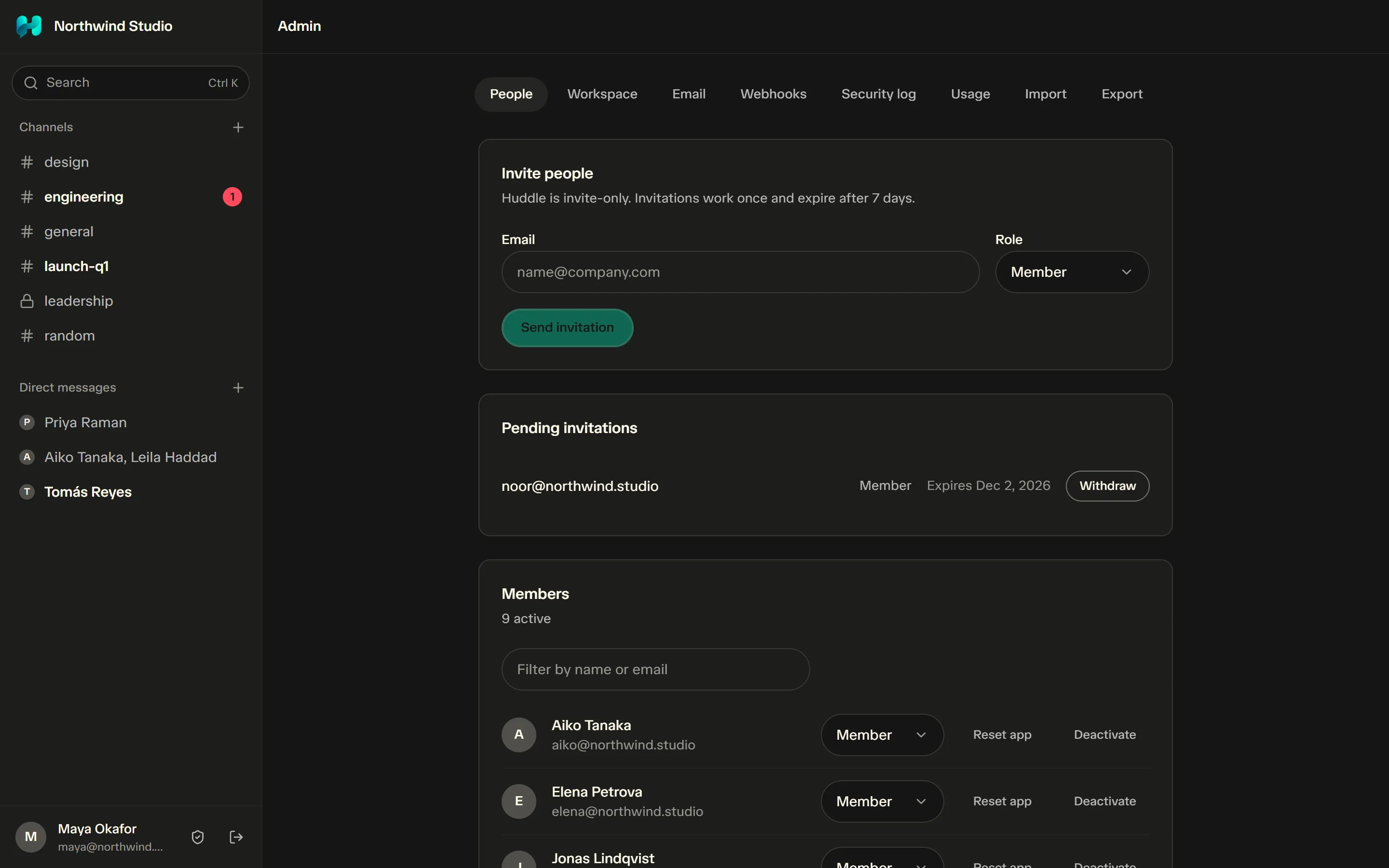
Owners and admins manage people and settings, members chat, and guests see only the channels you choose for them.
Up and running in four steps
About ten minutes from start to your first message. No coding needed.
Press Deploy
Press Deploy
Cloudflare makes your own copy of Huddle and sets it all up for you. You type your email address and make up a setup key, a long password that only you know.
- Your own copy of Huddle
- A place for your messages
- Private storage for files
- Email and phone alerts
Sign in as the owner
Sign in as the owner
Open your new Huddle, enter your email and setup key, and scan a code with an authenticator app on your phone. Then give your workspace a name.
Invite your team
Invite your team
Choose a role for each person and copy their invite link. Send it by WhatsApp, email or however you like. Each link works once.
Everyone signs in
Everyone signs in
People sign in with their email and the six-digit code their phone shows. No passwords to remember, none to leak.
Every screen, for real
Nothing here is a mock-up. Tap any screen to see it full size.
Free to run, for most teams.
- 0.00dollars per person, per month. Huddle is free and has no paid version.
- 100,000actions a day, free on Cloudflare: sending, opening a channel, searching. If a team reaches a limit, it’s usually this one.
- 5GB of space for messages. That’s millions of them.
- 10GB of space for shared files, free every month.
- 60messages a minute per person at most, so nobody floods a channel by accident.
How Huddle is built
- Runs on
- Cloudflare
- Your data
- In your own account
- Licence
- MIT, free
Huddle runs on Cloudflare, a company that hosts websites all over the world, inside an account that belongs to you. Every channel gets its own little room that delivers messages the moment they’re sent. Your messages, files and settings never leave your account. Tap a part below to see what it does.
Your team
People use Huddle in a browser tab or as an app on their phone or computer. Nothing to install from an app store.
Huddle
The app itself, running on Cloudflare close to wherever each person is. It checks who you are before showing anything.
A room per chat
Every channel and direct message gets its own small room. It keeps messages in the right order and delivers them to everyone instantly.
Unread counts
Keeps the unread counts in your sidebar up to date as messages arrive, and makes sure nobody sends more than 60 messages a minute.
Your messages
Messages, channels, people and settings are saved in a database in your own Cloudflare account. Search looks through it.
Your files
Shared files are kept in private storage in your account. Huddle checks that a person may see a file before every download.
Emails and alerts
Phone notifications and email summaries are sent from here, and tried again if something fails.
In short
- Runs onCloudflare, your account
- Opens inAny modern browser
- Installs onPhone and computer
- MessagesArrive instantly
- SearchEvery message
- UpdatesFrom your GitHub copy
- Source codeOpen, MIT licence
- PriceFree
- Sign-inCode from your phone
- PasswordsNone to leak
- Wrong codesLocked after 8 tries
- Who gets inInvite links only
- Invite linksWork once, 7 days
- FilesPrivate, checked
- Admin actionsWritten to a log
- Your dataStays in your account
Read the docs
From pressing Deploy to the API, in plain language.
Get started
Use Huddle
Run Huddle
Questions, answered
Is it really free?
Yes. Huddle is free and open source, with no paid version. It runs on your own Cloudflare account, and most teams stay inside Cloudflare’s free plan. Cloudflare asks for a card for file storage, but doesn’t charge while you stay under 10 GB a month.
Who can read our messages?
The people in your workspace (depending on their role) and whoever can log in to your Cloudflare account. There is no Huddle company in between. Messages are encrypted on the way and while stored in your account. Like most team chats, they are not end-to-end encrypted.
Do we need our own domain?
No. Huddle works on the free workers.dev address Cloudflare gives you. You can add your own domain later; people sign in once more afterwards.
Can we move over from Slack?
Yes. An owner can import a Slack export: channels, messages, threads and files come across, spread over a few days if the history is large, so you stay inside the free plan.
What if someone loses their phone?
An admin opens People and chooses Reset app. That makes a one-time link, valid for seven days, to set up the authenticator app again. The owner can always recover with the setup key.
Is there a phone app?
Huddle installs from the browser on Android, iPhone and desktop, with its own icon and push notifications. There’s no app-store download to manage.
How do updates reach our copy?
Your copy of Huddle lives in your GitHub account. Bring the newest Huddle code into that copy (the docs show how) and Cloudflare rebuilds it. Your database updates itself on the first visit.
Can other tools post into Huddle?
Yes. An admin can make a special posting link (a webhook) for any channel, so other tools such as website monitors or forms can post messages there. Developers can also use Huddle’s API.
Make it yours.
Press Deploy, sign in with your setup key, and this is the first screen you’ll see. About ten minutes from start to your first message.

Set up your workspace
Two things, and your team’s chat is ready. You can change both later.
Deploy Huddle for Northwind Studio